Start & Register for Credit Courses
Start Your Jaguar Journey!
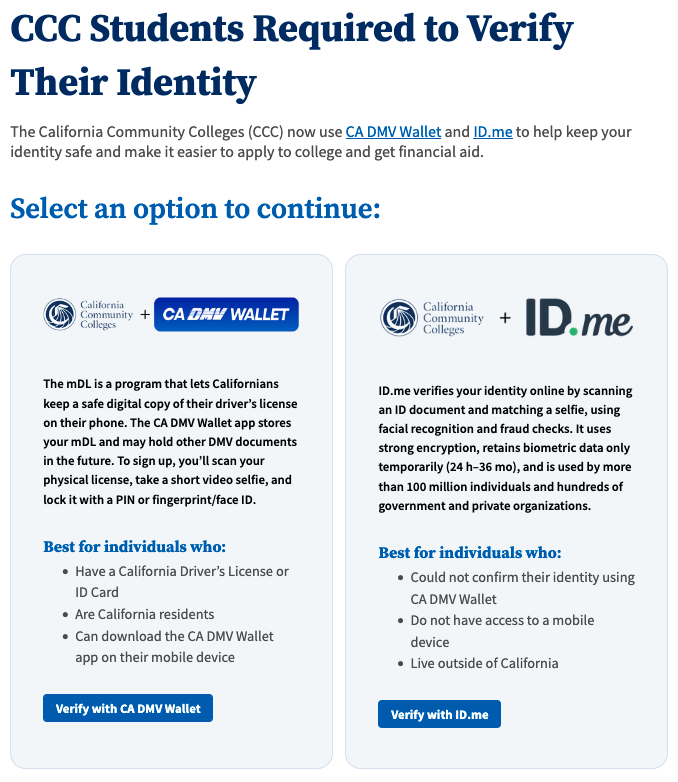
Identity Verification is Required
Before you can register for credit courses, you must complete CCCApply form to Southwestern College.
IMPORTANT: Identity Verification is now required. Southwestern College will not receive your information automatically unless your identity was verified using CA DMV Wallet or ID.me verification.
Steps to start at Southwestern College:
- Open the CCCApply website
- Create a CCCApply account with your valid email address or mobile phone number.
- Verify your identity using CA DMV Wallet or ID.me verification.
- Select the "Apply to Southwestern College here" link in the first card.
- Complete all fields on the Southwestern College application - skipping a field may cause delays.
- Submit your form(s) by selecting the "Submit" button.
- At the confirmation page, select the "Continue" button.
- Once your forms are reviewed and accepted, you will receive a welcome email that contains your SWC ID number and other important information.
If you do not receive a welcome email within 3 business days (not including weekends/holidays), if you encounter errors or are unable to verify your identity using CA DMV Wallet or ID.me verification, please contact Admissions & Records at admissions@swccd.edu or (619) 482-6488.
About ID Verification
Verifying your identity prevents others from using your personal information. Verifying now will also enable Southwestern College to move you through the admissions process faster.
The California Community Colleges (CCC) now use CA DMV Wallet and ID.me to help keep your identity safe and make it easier to start at Southwestern College and get financial aid.